The Web
Most school children will not know life without the internet, and probably don’t realise how it affects our lives. Yet the world wide web only started in 1990 so there is still a lot that is changing.
As a class or in small groups get the pupils to work out what their lives would be like without the internet. If you are struggling, think about everything in daily life that involves computers. For this exercise you could use the chart on the media diary page.
Wiki
A wiki is a user-editable webpage which is great in education for collaboration, brainstorming, event coordination and planning projects like filmmaking. They are an easy way to make simple websites either collaboratively or on your own. You can use them for revision notes with classes or putting arrangement documents up so that pupils can make notes if they want to go over something. A good place to start a class wiki is wikispaces which is free for educational use and easy to use. The controls look just like a word processor, with the usual bold and underline buttons. The explanation Wikis in Plain English of how one works is informative.
Wikipedia

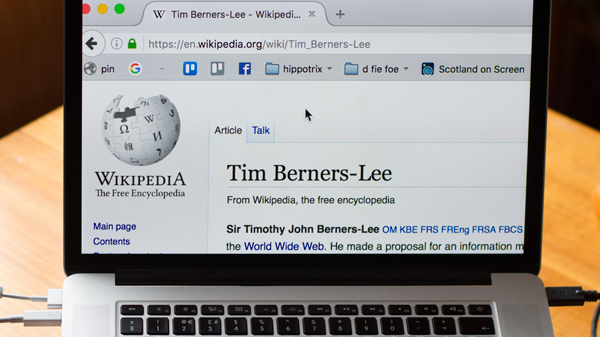
The most well known wiki is Wikipedia which is an online encyclopedia created and edited by the users. If you feel you have particular knowledge in a topic you can add information to a site or remove text you know to be incorrect. On first glance this seems to be open to abuse, but there are safeguards in place and you can always roll back to a previous version. Wikipedia has been found by the journal Nature to be almost as accurate as Encyclopedia Britannica, with the average Wikipedia entry containing about four inaccuracies while Britannica's entries have on average three. This means that it is quite a good website to suggest pupils use when researching a topic for a moving image activity.
Forums
A forum is similar to a wiki being a place where people with common interests or requirements, can 'post' information. Although a forum’s information is usually displayed chronologically and there is no opportunity to edit another users text.
vlogs and blogs
A blog is a webpage in the form of a journal. The author logs into a webpage and types in a subject and an entry (known as a post) usually on a theme or as part of a personal blog. Readers can add comments about the posts they have read. These comments allow you to have an ongoing conversation with the author or other readers.
Although facebook and twitter have taken a lot of ‘custom’ away from blogging sites there is still a lot of value in this simple web site methodology. Many authors, musicians, actors, scriptwriters and producers have blogs which give a personal insight into the production process.
With a vlog people chat to a video camera or webcam instead of typing what they want to say. Alternatively, people put the videos that have made on their blog, like Dingwall Primary School. The majority of vlogs are now hosted on YouTube and some superstar accounts have had billions of views.
Blogs for education
If you'd like to have your own blog, or a class blog for pupils, then there are many free or low cost blogging sites. A good place to start is edublogs, who provide free blogs for teachers and students. If you use a blog in class, add it to a website for example scotedublogs and the pupils will be amazed at the people around the world commenting about what they have been doing in class. A good example of this is Sandaig Primary School.
Edublogs
Typepad
Blogger
Livejournal
Wordpress
Online sharing
Youtube is still the main places to go for video sharing, and there are an increasing number of educational videos hosted. Examples of interesting science experiments, new technology in Computing or Design & Technology, or people from all over the world singing folk or traditional songs to learn in Music.
Vimeo has held its ground and is the place where you will find more serious videomakers.
Truetube is still a good option for videos that address a particular issue, and Daily Motion is still going.
When studying pop music, YouTube has become a good way for unsigned bands to make it big. OK Go became famous for their quirky music videos on the site. They created a dance video competition that hundreds of people entered including lots of young people. Similar competitions might be a good challenge for class projects or a media production unit.
Flickr is a photo sharing website. Many of the people storing photos there choose to share them in a way which will allow you to you download the pictures for your own use, which is particularly helpful when students are creating their own newspapers and posters. You can also add comments to photos and add notes pointing out details in an image.
Podcasts
If your students are studying radio stations in Media Studies or producing a radio show, why not make it a regular show to a worldwide audience? A podcast is just an audio file that has an RSS feed (like a blog), and listeners can subscribe to your show will automatically receive new shows as soon as you put them online.
A video version of a podcast, also known as a vodcast, allows people to easily share their video podcasts to a regular audience. These are popular with television producers promoting their shows.
To listen to some podcasts and watch some vodcasts that have already been made you could use iTunes.
Bookmarks and social tagging
Although traditional tools for sharing favourite places on the web like Delicious and Stumbleupon have fallen out of favour a number of other tools are proving useful for flagging content to share with others. Pinterest provides a good place to file URLs for others to look at. The very popular reddit can be used too.
The hashtag
The hashtag is a ubiquitous method for grouping information. Although you can’t easily use it to group information yourself; the value of a hashtag exercise with older classes can be useful for encouraging discussion about many topics. Choose an older hashtag which is less likely to get hijacked while you are working on your lesson plan.
Viral video
Internet phenomena Viral videos spread by "word of mouth", made popular by people emailing links to their friends and it spreading wildly (like a virus). Usually they are short, funny and 'homemade', although companies have seen this as a way of more effective advertising (more views for less cost). Many creators have gone viral have since got jobs in larger production companies based on their work such as Bruce Branit, the producer of 405, which is thought to be the first internet viral video. In this way the video is like a portfolio of work, far more important than a CV or exam results.
Unfortunately the opposite is also true. Young people who have put videos online featuring themselves (or had videos put online by someone else) have often regretted it, particularly when thousands or millions of people watch it to laugh at them.
The young men commonly known as The Star Wars Kid and the Numa Numa guy have found the publicity generated uncomfortable, for example the “The Star Wars Kid” suing the families of the young people who put the video online. Discussion around these videos (even without showing them in class) provide a very useful starting point in class.
Where is Matt Activity
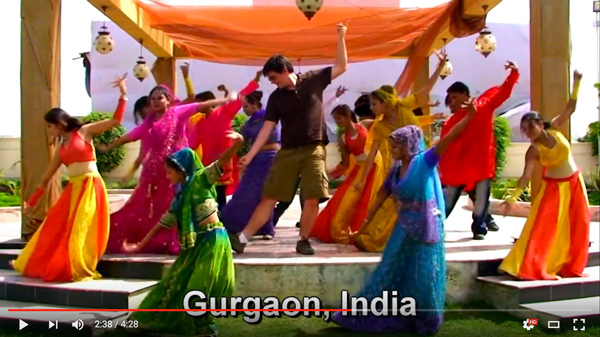
Matt Harding made a video of himself doing a silly dance while travelling. He was then sponsored to do two world trips by Stride, a chewing gum company. Watch the videos of a talk Matt gave where he explains about planning and making the videos.
Matt talks to school pupils about his journeys and his videos.
Plan a viral video of your own
- What would you make?
- How could you encourage millions of people to watch?
- If you want a company to sponsor you, how would you persuade the company that it would be a good idea?
Using Google Maps, Google Earth an atlas or a world map plan out where you would travel if you had a company sponsor your video world tour.
Internet and the law
It is illegal to copy or use someone else's work without permission, like putting Taylor Swift’s latest music video onto YouTube. It isn't illegal for Taylor Swift (or more likely, someone who works for her) to put an official version onto YouTube.