Audio check list
The sound crew
When recording with a microphone separate from the camera you will need to decide - are you recording anybody talking?
Yes
You will need two people:
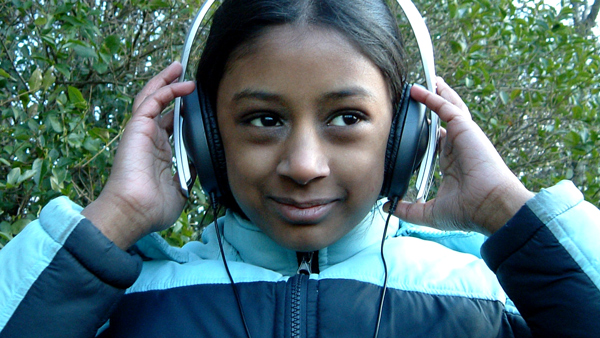
Sound Recordist - Who listens to the sound on headphones and judges if it's okay.
Boom Operator - Who holds the microphone in the best position.
No
This time one person is enough:
Your Sound Recordist holds the microphone and listens on headphones. This is fun and really helps you to understand how the microphone works.
Sound crew check out the gear
This can take quite some time to do properly, perhaps an hour or more. Check you have everything together before you start.
Camera Instructions
Do you have the instructions for the camera? If so, a sound recordist should try to make sense of any information relating to sound, particularly about setting sound recording levels (but don't worry if you can't set the levels).
The Sound Crew's Checklist
What you need
Essential
Headphones with a mini-jack connector at the end of the cable.
Useful
An Extension for the headphone cable (mini-jack socket to mini-jack plug).
What you do
Plug in the headphones using the extension if you have one.
The socket may be hidden under a rubber cover
What you need
A Suitable Microphone
A clip or mount which you will use to attach the mic to a pole, mic stand or hand holding 'pistol grip'.
Microphones are delicate! Never leave a mic lying on the floor. Find a safe place and make sure it can't get knocked.
What you need
A cable to take the sound from the mic to the camera. This needs to be a minimum of 3 metres long.
An extension for the mic cable so you can get the mic nearer to the action, if you need to.
Be careful where your cables are going. Make sure they lie flat on the ground and are not likely to trip someone. Don't place them in front of doorways or across corridors.
What you need
A suitable pole to use for a boom.
What you do
Fit the microphone gently into its clips and screw or attach it securely with tape to the end of the pole.
Connect the mic cable from the microphone to the camera.
A blank video tape and either mains or battery power for the camera.
Label the tape with the date and give it a title and a number.
Switch the camera on and put the tape in. Switch the camera to 'standby' or 'record pause'. If you can only go into record, do so.
The Boom Operator talks NORMALLY into the mic while the recordist listens. (If you're on your own, talk into it yourself – you can always say 1-2-1-2-1-2!) Take time to get the idea of what the mic picks up.
Don't shout! Swap places and also try it on your own, listening on the headphones while you talk into the mic or point it at other people.
Setting the sound levels
If you know how to adjust manual sound levels on the camera, try to make it so the meters hit the middle of the scale when someone is talking normally about half a metre from the mic. If it shows numbers 1-10, set it to about 5 or 6. If there are minus numbers, set it to about -20.
You may be able to set Automatic Gain Control (AGC) to ON or OFF - set it to OFF.
If you can't adjust anything, turn the headphone volume control - if there is one - to the centre position or higher.
You are now ready to run a test recording.
Running a test recording
- Ask everybody else in the room to be quiet.
- Have somebody ready to talk - just ask them to describe their route to school or anything that will get them to talk for a while.
- The boom operator (or recordist alone) points the mic, while the sound recordist or camera person sets the camera to record.
- Record at least a minute. If you can adjust the sound levels while you are recording, try them at a lower, middle and high position.
- Listen carefully to the sound and pay close attention to the difference between the volume of the voice and the general background noise.
- Stop recording, rewind the tape and listen to what you recorded. Let the boom operator listen too.
Okay - How did the test go?
It sounds pretty good.
Well Done! You're ready to shoot!
We have a problem.
All sorts of things could be wrong with your sound, or maybe there is nothing there.
It's best if only one person tries to find a fault and that nobody else touches the camera or sound gear while it's being checked - you are going to carry out detective work - so don't let anyone interfere with potential clues. Change one thing at a time and rerun the test to help pinpoint the problem.
What description best fits your sound problem?
Crackling or breaking up
This is most probably a connection problem.
Headphone check:
Start by checking that the headphones are plugged in properly. Hold the microphone and talk into it while you wiggle the headphone plug very gently. If this seems like the problem, find a way of taping the headphone plug so that it doesn't move around. This is important because the connections can work loose inside and it will soon not work at all (although a headphone problem will not affect your recording it will make it impossible to check as you go along).
Microphone and cable check:
If the headphones seem all right, carry on talking into the microphone while you check the cable where it leaves the mic, then at any joins in the cable and finally where it goes into the camera.
Hopefully you will have found the culprit and if it's a loose connection you can tape it up with some insulating tape. If you think it's a broken wire inside a cable you may have to replace that cable.
There's nothing there
Go back over all your connections:
- Is everything properly plugged in? (Especially the headphones!)
- Was the camera running?
- Try again and make sure the record light is on.
It's very quiet
Look at the levels if you have them, the meters should register in the middle of the scale. If everything is very low, you will need to turn up your levels and/or get the mic closer.
It sounds very loud & distorted
Have you looked to see if you can adjust any audio levels - either on the side of the camera or in a set-up menu? First find these and try turning them down - that includes the headphone level.
Or you might need to move the mic away from the sound a bit.
There's a loud hum or buzz
Make sure all connectors are plugged in properly. If you have any spare cables swap them over to find out if one of them is faulty.
If the camera has a switch saying 'mic/line' it should be switched to 'mic'.
Is your microphone cable passing near any mains cables or sockets? These can cause a buzz on a cable. If you have to go close to a mains cable don't run your cable parallel but try to cross at right angles to it. You may need to find higher quality (usually thicker) screened cables. Screened cables are designed to block outside interference and buzzes but they are not always compatible with domestic video equipment.
If all this fails it's probably faulty wiring somewhere. Before you blame your mic and cables, try to borrow another mic which you know works. If the problem persists with a different mic the fault is most probably in the camera and it will need to be repaired.
If you are connecting something other than a microphone into the mic socket (e.g. a mixer, deck or amplifier) you might need to select 'line' to make it work