Footage in
Always build in time to review your footage. Take note of anything that makes an impact. It’s amazing how valuable this first viewing can be
Take in everything that might be usable, for instance, even before ‘action’ is called an actor might give a certain look, which is exactly what you are searching for.
Ingesting from a camera
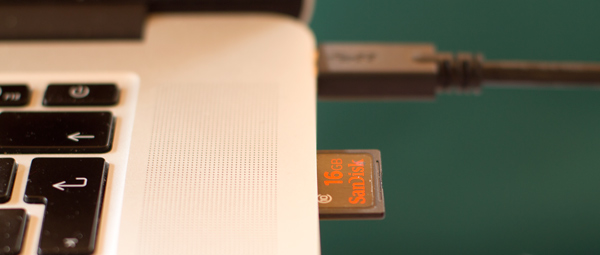
Most cameras now have removable flash cards. Most edit software will recognise your camera when you plug it in, and getting the footage off is very easy.
Importing images, music & sound
Anything that is already digital (cd music, sound-effects, graphics, stills) is quite simply imported. In most programs, choose: 'File>Import'. The program should tell you if your file is compatible.
Still images don't have to be that large, so even stills 4mb image might be usable. Most programs can deal with .png and .jpg image files
For audio wav and aif are the files computers like best. Other file formats such as mp3 can be tricky and you may need to convert your files.
Download
Another way you might be getting source material is from the internet. You must actually 'download' any files you want to work with. It's strange because you can sit and watch the whole clip, but you might not have it stored on your computer. You might have just 'streamed' the file rather than downloaded it. Normally when you actually 'download' a file you are asked to choose a location to save it.
From old formats
Unfortunately one place it is tricky to get film from is a regular DVD. This is due to copyright protection issues, and even if you have created the DVD yourself it can still be difficult.
When working with other artists, get them to save their work in more than one formats, this way you are more likely to have success when importing.
Naming files
Give clips clear descriptive names that help your clips fall into order ie "beach-sandcastleseq-cu-jimmy01" Think about the first word in the name - when you sort your clips in a browser this will become important. Don’t use numbers first, unless scene numbers exist.
Hard drive space
Video takes up a lot of space on your hard drive; 1 minute of HD Pro Res footage will take over a gigabyte, and even compressed DSLR footage can eat up a gigabyte every few minutes. Also you need space for renders and temporary files and should always leave at least 10% of your hard drive free
Your computer normally doesn't warn you early enough that your hard drive is getting full. So keep an eye on this before and while you ingest clips (its much more difficult to delete things once you have started editing)
If you run into difficulties and need to make space:
- make a backup of where you are on your project (if possible make a back up of your entire computer)
- Is this a shared computer? check with others if they have finished and archived their project
- Then you are going to have to start very carefully deleting unused files
To gain some hard drive space, the temptation is to delete some text files or a few still images, because you know these aren't linked to your project - but remember to gain the same amount of space as deleting a 2 minute video file you would have to delete about 1000 images or 10,000 documents. Just finding and deleting one super long clip can solve your problem.