Sharing your film
Getting your film off the computer
Once you're happy with your film, the next step is to get your film off the computer, and show it to the world. Think about how you want to show it, as this will affect how you "output" it.
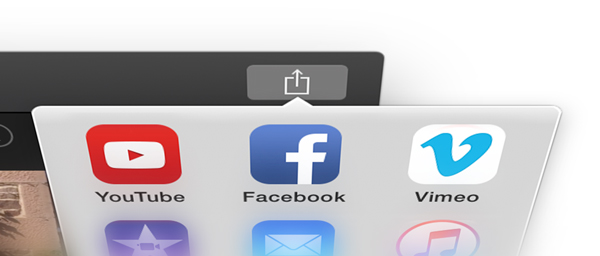
Depending on your program, select the 'Export Movie' or Share Movie' function, and you will be asked to choose the size and quality parameters for your movie. In most programs there are ready presets, and these settings make all the compression choices for you. Remember to save it somewhere, so you can find it. Some packages like iMovie have an upload straight to YouTube all ready to go.
Compression
Compression is a complex area, but it is worth grasping some basics. A video’s file size depends on:
- Duration
- Frame size
- Compression
- Frame rate
- Audio
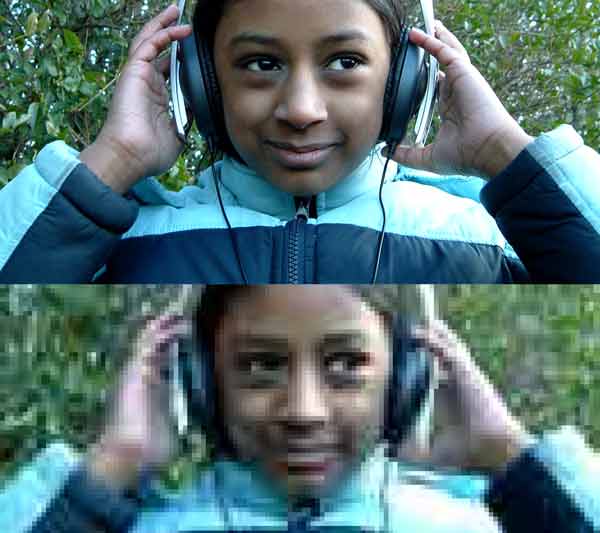
When you compress a film you might not notice the difference on your computer, but you will on a good TV or at a screening. The more you compress something, the smaller the new file becomes, however, usually the worse the quality will be.
Duration
Film length is something you are unlikely to change at this stage. But if you can and you want a small file size, shortening your programme will help a lot.
Frame size
Frame size (often called SD or HD) are the dimensions of the image in screen pixels (horizontal x vertical). Smaller frame sizes mean smaller files.
Frame rate
Some live action can look okay at 12fps or even less. With animation you may have created your work on 2s or 3s so you might be able to select a lower (appropriate) frame rate with perfect results (try it out first).
Compression
After 'image size' and 'frame rate' the only real way to reduce file size is to compress your image. Compression is the stripping out and simplifying of information to make the file smaller and easier to handle (like a .jpeg when you're dealing with still images). The best option is to run tests to see what is acceptable.
All outputted? Now it's time for your Premiere!