Editing
Where to start
First of all, make sure you have familiarised yourself with the clips in your browser. It may take a while to figure where the important parts of a clip are. Naming your clips early on can help tremendously, and/or keep a notebook and jot down anything that helps with this organisation. You can make a plan of your edit on paper too.
Basic editing, or ‘assembling’, is just like copying, pasting and editing a text document.
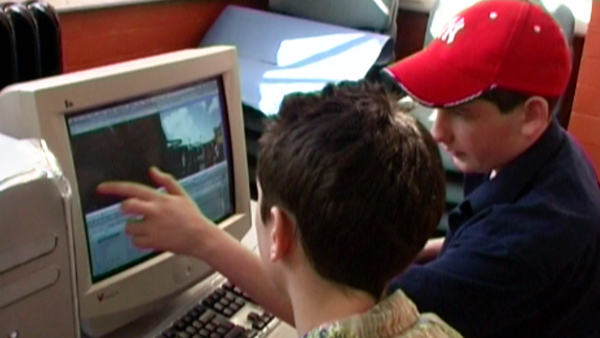
There are two ways to start and it can depend on what type of program you are using. One is to mark the part of your source clip that you want to use and paste (or drag it) to the timeline. The other is to select the whole clip and cut it down in the timeline.
Insert & overlay
In most software the tools you will use for assembling insert and overlay. These are separate buttons that place the clip you have selected at the playhead. Insert makes a space for the new clip, pushing everything else along. Overlay deletes (or covers over) whatever is already on the timeline underneath the new clip.
In and out points
You first want to choose the part of the clip you are going to use. This is done using IN and OUT points. Find the exact frame where the action starts (i.e. the bit just after the actor has started walking but before he reaches the banana peel) and make that your IN point. Next find the exact frame where the action ends (i.e. just after the actor has hit the ground) and make that your OUT point.
Then choose the place you want this action to go in your movie.
Browser differences
In most programs, the original clips remain untouched in your browser, even if you take them onto the timeline, cut them up or delete them. So you can always go back to the unedited version.
Understanding some of the established rules when creating a sequence will help the flow of your sequence. But remember that breaking these rules can have impact, the same as unconventional framing or a strange sound. But use these techniques sparingly and only if fitting with the overall style of the film Whenever you are making significant changes make a copy of your sequence. That way you can always go back to a preferred version.
Save and/or back up regularly - there’s nothing worse than getting a crash and realising you’ve lost an hours work.
Put your clips in a general order in the sequence. This might be dictated by a storyboard or a shot list. Don’t worry about working in story order, if you get stuck you can work on a different scene. Give each scene the chance to work on it’s own. It’s amazing how weaker scenes in the script or on the shoot can become much more powerful when given the chance at the editing stage. Once you have your ‘first assembly’ you can put scenes in their correct order.
Re-arranging
Each clip is like a sentence in a text. Rearrange them to tell the story you want. Which should audience see first ? The hand with the dagger or the calmly sleeping victim? The order is very important, and the way it was imagined initially may not be the best order.
Editing is like making music. Not only are you telling a story, you are also creating the pace at which the story is told. It has to flow, varying between slow and fast, loud and quiet, wide shots and close ones. It has to set questions in the minds of the audience, keeping the viewer hooked on the narrative as it unfolds, moment by moment.
After you have your ‘first assembly’ it’s time to start working on the structure. Are scenes in the right order? Is certain information too early or too late? Are characters introduced at the right time. Usually shots can be moved around without too much disruption, though complex narratives and continuity might restrict you.
Trimming and fine tuning
Trimming is the act of shortening (or extending) the start and end of your clips in the timeline. It is a crucial part of editing: the fine tuning. Editing is all about timing, and moving a cut a few frames this way or that can make all the difference.
If you’re noticing cuts in dialogue are jumping out at you then it’s probably because you’ve made the cut on a harsh syllable such as ‘k’, ‘p’ or ‘t’. Try trimming forward or backward until the cut smooths out.
The magic of editing is making the transition from one clip to the next work. If the timing is right the join should really flow. The only way to see if it is right is to try it. And if it isn't working, try again. And again.
Cutting down
Your first sequences will quite often be too long, by at least 25% and sometimes twice as long. Don’t worry, this is normal. It’s the editors job to tell the story as succinctly as possible, and so it’s time to sculpt the film, chipping off bits to give it a better form.
However, the fact a film feels too long has more to do with the pacing than with the actual length. Watch it from beginning to end and note the second you start to lose interest. Keep watching to the end though so that you don’t lose the overall form. After you’ve made your notes, make a copy of your sequence and make the changes. Then watch again. Repeat!
As an editor, you can squeeze (and extend) time. If you need to cut down a long bit of action (someone tying their shoelaces), try cutting away to something else (like the dog watching) after the first second or two, then cut back to the end of the action (the tied laces). No one will miss the bit in the middle, or question the speed with which those laces got tied. So long as it fits with the style of the film you can radically cut the action down.
For instance: a seated character stands up, exits a room, enters another room and opens a drawer.
You could cut this sequence going straight from the character sitting down to opening the drawer in the other room. It’s all about the point of the cut and the overall rhythm. This might work best as a hard cut on the sound of the drawer opening, or it might help to have the sound of the drawer (or door) overlapping the shot of the seated character. The options are numerous and it’s all about trying things out and understanding rhythm.
Cutting dialogue
Quite often a script uses dialogue to define a character and place information rather than have it as description. But when your script becomes a moving and talking version you quite often find that there is too much talk or information. Remember, action speaks louder than words. Don't be frightened of cutting out chunks of dialogue. Get the conversation down to the bare minimum. Use cutaways or change to a different angle on the same conversation to make it easier to cut dialogue out.
Finally
Remember to keep fresh. Take time out if something isn’t working. If you are the director of the film as well as the editor, then forget what you planned, take stock of what you actually have and try to make the most of it. You have to put yourself in the shoes of the first time viewer every time you’re assessing your sequence.